
This manual is the external SSD/HDD expansion storage setting manual, which introduces how to connect the external SSD/HDD to PS4® and format it so that PS4® applications can be saved to the external SSD/HDD.
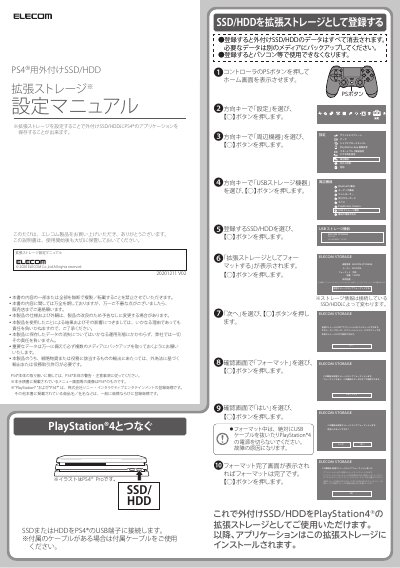
This manual explains how to connect an ELECOM external SSD or HDD to a PlayStation 4 via USB and set it up as expansion storage. It includes steps to format the drive, move applications to it, and safely eject the device. The guide is written in Japanese and assumes the user has a PS4 console and compatible storage device.
You must select the application and press the OPTIONS button.
Select 'この拡張ストレージの使用を停止する' and press the ○ button.