
ELECOM BRC-FEBK Router Quick Setup Guide

This manual describes how to use this product to connect to the Internet. The product has 1 LAN port and supports wired connection, and can connect 4 devices.
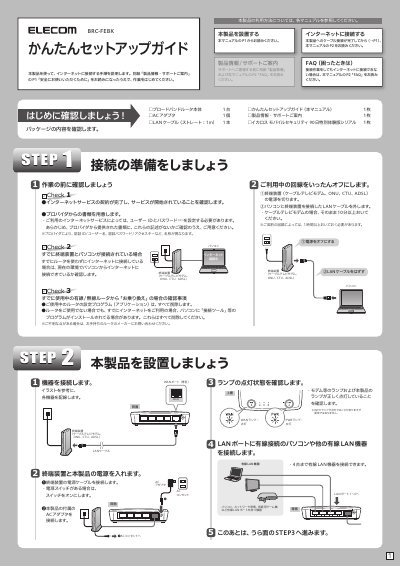

ELECOM BRC-FEBK Router Quick Setup Guide - cover page
Brand
Elecom
Category
Router
Document type
Quick Start Guide
Language
Japanese
Pages
2
File format
PDF
File size
703 KB
Published
18 October, 2023
Updated
18 October, 2023
MD5 checksum
7AF1AC5A6CB1435031AC1A10274A961C

About this manual

This document is a quick setup guide for the ELECOM BRC-FEBK router. It covers verifying the package contents, preparing the network environment by disconnecting existing connections, and physically connecting the router to a modem and computer. The guide also details the initial power-on checks and LED status indicators. This manual is written in Japanese.

What's inside

  • Package Contents
  • Preparation
  • Hardware Connection
  • Power On
  • Web Setup
  • Internet Connection
  • Troubleshooting (FAQ)

Specifications

Maximum Wired LAN Devices4 devices

Frequently asked questions

What is the default IP address for the router?

The default IP address is 192.168.2.1.

What are the default login credentials?

The default username and password are both 'admin'.

How do I reset the router to factory settings?

Press and hold the RESET button on the back for more than 10 seconds.

Download PDF (703 KB)

More Elecom Manuals


View all Elecom manuals →