
This document is the official user manual of ELECOM slide-out Bluetooth keyboard, which introduces the functions and usage of the keyboard.
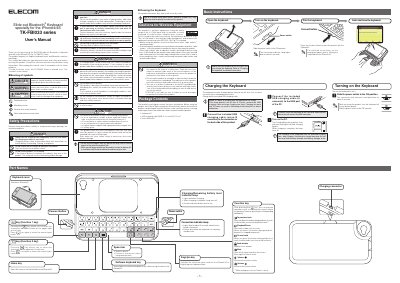
This manual provides operating instructions and safety precautions for the ELECOM TK-FBI033 slide-out Bluetooth keyboard, which features an English keyboard layout and is designed specifically for the iPhone 4/4S. The device utilizes Bluetooth wireless technology and includes a slide-out mechanism for compact storage.
| Compatible Devices | iPhone 4/4S |
|---|---|
| Keyboard Layout | English |
| Wireless Technology | Bluetooth |
| Radio Frequency | 2.4 GHz |
| Charging Time | Approx. 3.5 hours |
| Charging Cable | USB A to micro B (0.7m) |
Approximately 3.5 hours of charging time are required for a full charge.
Slide the power switch to the ON position. The connection indicator lamp should light blue for about 3 seconds.
Press the Connect button to pair this product with the iPhone4/4S.
No, the use of a wireless keyboard in an aircraft is prohibited by aviation law because it may interfere with flight safety.