
This is an iPhone/iPad Lightning card reader that can be connected to the iPhone/iPad Lightning port and the computer's USB port. It supports reading and writing SD cards and microSD cards.
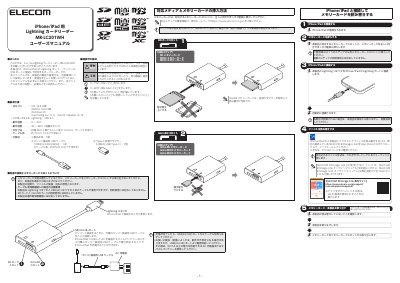
The ELECOM MR-LC201WH is a card reader designed for use with iPhone and iPad via the Lightning port, as well as with computers via a USB cable. It supports SD, microSD, and miniSD memory cards. The device allows for file transfer between the mobile device and the card, as well as charging the mobile device when connected to a power source. This manual is written in Japanese.
| Interface | Lightning, USB 2.0 |
|---|---|
| Operating Temperature | 0-40C |
| Operating Humidity | 30 - 80% |
| Dimensions | Approx. 36.0 x 51.0 x 10.0mm (excluding cable) |
| Cable Length | Approx. 7.0cm (excluding connector) |
No, the product does not support simultaneous use with both a Lightning connector and a USB-A connector.
No, the product does not support the simultaneous use of an SD card and an microSD card.
No, this product does not support copyright protection functions.