
This manual introduces the 2.4G Bluetooth Datalink and its connection, installation methods, and the installation methods of Assistant software and App.
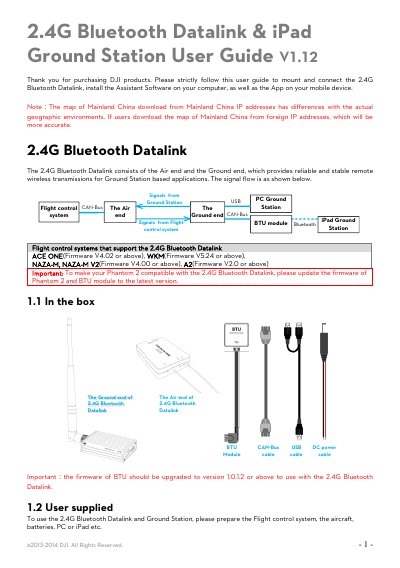
This document provides instructions for the DJI 2.4G Bluetooth Datalink, which consists of an Air end and a Ground end for reliable wireless transmission in Ground Station applications. It details the required components, connection methods for PC and iPad setups, and compatibility with specific flight control systems like ACE ONE, WKM, and NAZA-M.
| RF Data Rate | 1536 kbps |
|---|---|
| Indoor/Urban Range | ≤ 350 m |
| Outdoor/RF Line-of-Sight Range | ≤ 2 km |
| Transmit Power | ≤ 125 mW |
| Receiver Sensitivity | -94 dBm |
| Ground end Power Consumption | ≤ 2.3 W |
| Air end Power Consumption | ≤ 1.8 W |
| Frequency Band | 2.4 G (2400 MHz ~ 2483 MHz) |
| Serial Data Rate | 115200 bps |
| Operating Temperature | -10°C ~ +60°C |
Supported systems include ACE ONE (Firmware V4.02 or above), WKM (Firmware V5.24 or above), NAZA-M, NAZA-M V2 (Firmware V4.00 or above), and A2 (Firmware V2.0 or above).
The Air end antenna tail should point downward, while the Ground end antenna tail should point upward to ensure unobstructed communication.
No, you cannot upgrade the firmware of the Flight control system using this communication route, but you can use the Assistant Software to upgrade the Datalink and BTU module.