
DrivePro is an advanced car video recorder designed by Transcend. It can capture real-time video of events happening outside your vehicle while driving. The recorder uses a 160° wide-angle lens to capture the widest possible field of view.
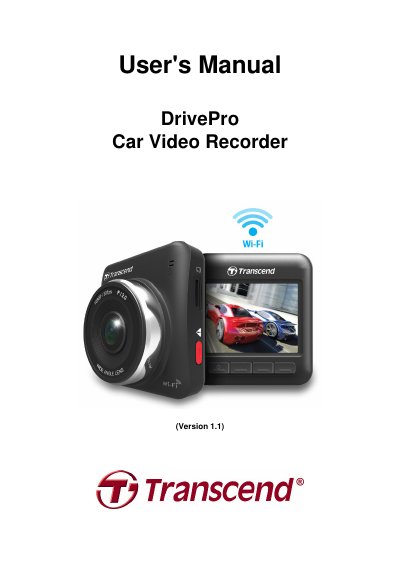
This manual provides step-by-step instructions for installing, configuring, and using the Transcend DrivePro car video recorder. It covers inserting a microSD card, mounting the device, connecting power, recording video, and using the DrivePro app on iOS and Android devices. The device records Full HD 1080P video with a 160° wide-angle lens and includes Wi-Fi for remote control and playback. Safety precautions and system requirements are also detailed.
| Panel | 2.4" color LCD |
|---|---|
| Speaker / Microphone | 1.0 Watt / 0.5mA (Built in) |
| Connect interface | USB2.0 |
| Storage | MicroSD, 8GB/16GB/32GB (Class 6 or above) |
| Control keys | 4 function buttons, 1 emergency recording button, 1 reset button |
| Dimensions | 67mm(L) × 72mm(W) × 34.3mm(H) |
| Weight | 84g |
| Power Supply | Input DC12V~24V Output DC5V / 1A |
| Operating Temperature | 0°C (32 °F) ~ 65 °C (148 °F) |
| Video Formats | H.264 (MOV: up to 1920x1080 30fps) |
| Lens | F/2.0, 160 ° wide angle |
| Resolution / Frame rate | Full HD (1920 x 1080) 30fps, HD (1280 x 720) 30fps |
| Network Interface | WiFi 802.11b/g/n |
| Certification | CE, FCC, BSMI, C-Tick, KC |
| Warranty | 2 years |
A Class 6 or above microSD memory card with 8GB, 16GB or 32GB capacity is required.
The DrivePro App supports iOS 5.0+ and Android 2.3+.
The DrivePro comes with a 2-year limited warranty.