
This is the owner's manual of Tamron SP 24-70mm F/2.8 Di VC USD G2 lens
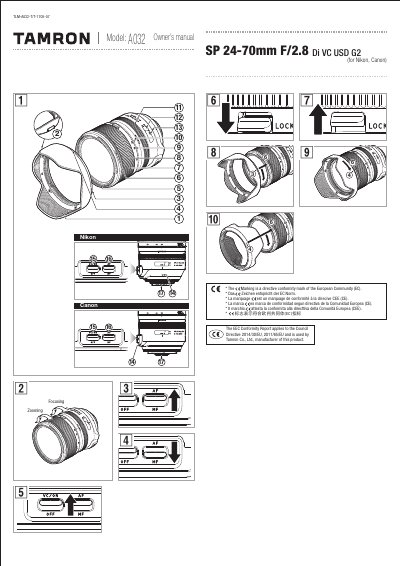
This Owner's Manual covers the Tamron SP 24-70mm F/2.8 Di VC USD G2 lens, detailing its parts, installation for Nikon and Canon cameras, and operation of the zoom, focus, and Vibration Compensation (VC) mechanisms. It includes specific instructions on attaching and removing the lens hood and explains how to switch between autofocus and manual focus modes.
| Focal Length | 24-70 mm |
|---|---|
| Maximum Aperture | F2.8 |
| Angle of View | 40-34.2 deg |
| Lens Construction | 12 elements in 7 groups |
| Filter Diameter | 82 mm |
| Length | 108.5 mm |
| Weight | 900 g |
Set the focal length to 24mm and slide the zoom lock switch downward.
Align the hood attaching alignment mark with the hood release mark and turn the lens hood in the direction of the arrow.
Turn the VC switch OFF when taking pictures with bulb photography or when the camera is secured by something other than your hand.