
Tamron A012 15‑30mm f/2.8 Di VC USD lens user manual with installation, focusing, VC usage and care instructions.
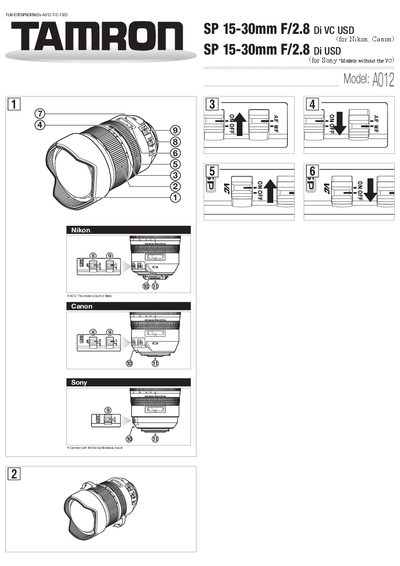
This manual explains how to install and remove the Tamron A012 15‑30mm f/2.8 Di VC USD lens on compatible Nikon, Canon and Sony cameras. It covers alignment of mounting marks, proper rotation for locking, and removal procedures.
The guide also describes autofocus, full‑time manual focus, VC (Vibration Compensation) operation, zoom handling, lens‑hood usage, shooting tips, maintenance, and safety precautions to keep the lens performing optimally. This manual is written in Chinese.
| Focal length | 15-30 mm |
|---|---|
| Maximum aperture | f/2.8 |
| Angle of view | 110°32' - 71°35' |
| Minimum focusing distance | 0.28 m (11") |
| Maximum magnification | 1:5 |
| Length | 142.5 mm (5.6") |
| Diameter | 98.4 mm (3.8") |
| Weight | 1100 g (38.8 oz) |
Remove the rear cap, align the lens mounting mark with the camera’s mark, insert the lens and rotate clockwise until you hear a click; for Nikon, align the small dot and rotate counter‑clockwise until it clicks.
Yes, keep the focus mode on AF and gently turn the focus ring to fine‑tune focus without switching the AF/MF switch.