
JVC GD-V4210PZW/GD-V4210PZW-G/GD-V4210PCE/GD-V4210PCE-G/GD-V4211PCE Monitor User's Manual

This manual details the functions and operation of the JVC GD-V4210PZW/GD-V4210PZW-G/GD-V4210PCE/GD-V4210PCE-G/GD-V4211PCE monitor.
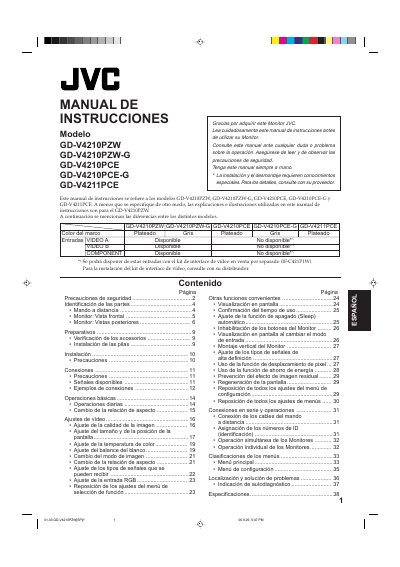

JVC GD-V4210PZW/GD-V4210PZW-G/GD-V4210PCE/GD-V4210PCE-G/GD-V4211PCE Monitor User's Manual - cover page
Brand
JVC
Category
Monitors
Document type
User Manual
Language
Spanish
Pages
40
File format
PDF
File size
1.2 MB
Published
17 October, 2023
Updated
17 October, 2023
MD5 checksum
E0731826C75B5ED0998814EBE236DAE9

About this manual

This manual provides instructions for the JVC GD-V4210PZW, GD-V4210PZW-G, GD-V4210PCE, GD-V4210PCE-G, and GD-V4211PCE models. It details the differences between models, such as frame color and available video inputs, and explains how to install the unit and its remote control. This manual is written in Spanish.

What's inside

  • Precauciones de seguridad
  • Identificación de las partes
  • Preparativos
  • Instalación
  • Conexiones
  • Operaciones básicas
  • Ajustes de video
  • Uso de la función de ahorro de energía
  • Localización y solución de problemas
  • Especificaciones

Frequently asked questions

What models does this manual cover?

This manual applies to the GD-V4210PZW, GD-V4210PZW-G, GD-V4210PCE, GD-V4210PCE-G, and GD-V4211PCE models.

What are the frame colors for the different models?

The GD-V4210PZW and GD-V4210PCE models have silver frames, while the GD-V4210PZW-G and GD-V4210PCE-G models have gray frames.

Which video inputs are available on the GD-V4210PCE-G model?

The GD-V4210PCE-G model does not have VIDEO B or COMPONENT inputs available.

Download PDF (1.2 MB)

More JVC Manuals


View all JVC manuals →