
This manual describes the Motion Sensor hardware and the locally written software that interfaces to it.
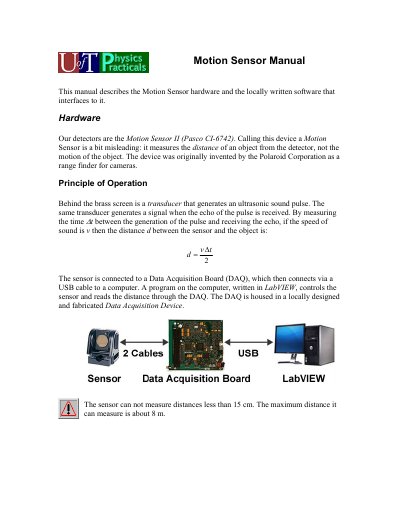
The Pasco CI-6742 Motion Sensor II is a device that measures the distance of an object from the detector using ultrasonic pulses and echoes. Although called a motion sensor, it does not measure the motion of the object itself but rather the distance to it. The device was originally invented by the Polaroid Corporation as a range finder for cameras. It connects to a Data Acquisition Board (DAQ) via a USB cable to a computer running LabVIEW software.
| Measurement Range | 15 cm to 8 m |
|---|---|
| Sound Wave Width | Narrow (15 degrees) or Std (wide) |
| Speed of Sound Assumption | 344 m/s |
It measures the distance of an object from the detector, not the motion of the object.
The sensor connects to a Data Acquisition Board (DAQ), which then connects via a USB cable to a computer.
The LED flashes when the sensor has acquired a target.