
Key facts
- Manuals
- 5
- Languages
- EN · JA
- Last added
- 2026-10-01
Featured PASCO manuals
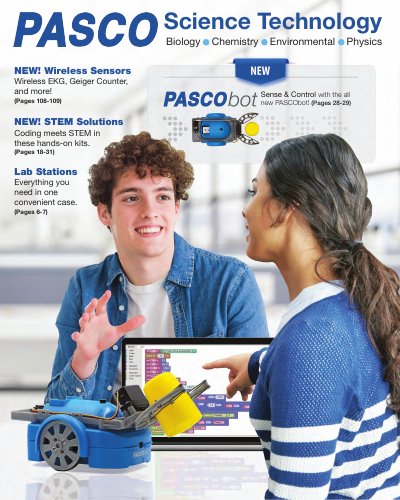
PASCO Science Solutions Product Catalog
The PASCO Science Solutions catalog provides an overview of the company’s STEM and coding kits, wireless sensor technologies, complete lab stations, and curriculum solutions for elementary through university‑level science education. It highlights products such as the Smart Cart, PASCObot Sense & Control Kit, Greenhouse Sense & Control Kit, and a variety of wireless sensors including EKG, Geiger Counter, and Soil Moisture.
In addition to product listings, the catalog includes information on the SPARKvue data‑collection software, professional development services, support contacts, and ordering details. It is organized by educational level and subject area, making it easy for educators to find suitable solutions for biology, chemistry, physics, environmental science, and more.
Covers: Solution Overview · STEM/Coding Solutions · Lab Stations · Wireless Sensors · Curriculum Solutions · PASCObot Sense & Control Kit
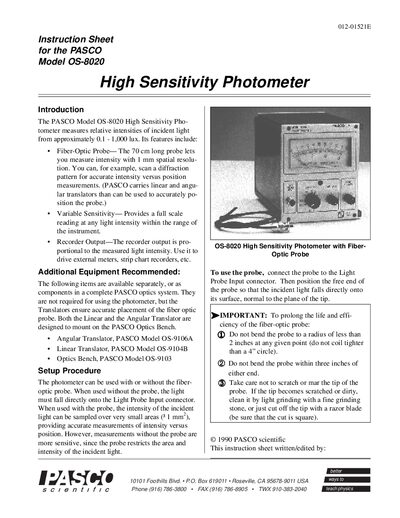
PASCO OS-8020 High Sensitivity Photometer Instruction Sheet
The PASCO OS-8020 High Sensitivity Photometer measures relative light intensities from about 0.1 to 1,000 lux. It can be used with a 70 cm fiber‑optic probe for 1 mm spatial resolution or directly on the Light Probe Input for greater sensitivity. The instrument includes a selenium cell, sensitivity range switch, and recorder output.
The sheet explains how to zero the meter mechanically or electronically, set the sensitivity range, and record measurements as percentages of a reference intensity. It also details the output voltage (140 mV – 10 V at up to 1 mA) and provides a limited one‑year warranty.
Covers: Introduction · Setup Procedure · Operation · Notes · Specifications · Limited Warranty
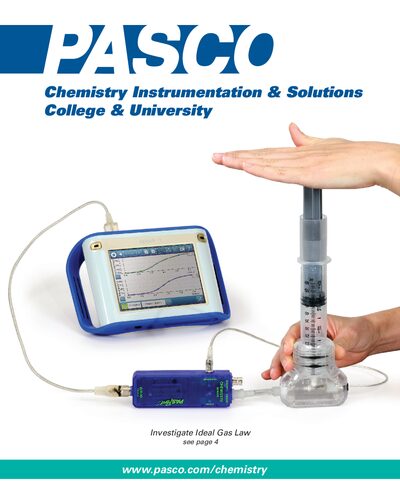
Pasco Chemistry Instrumentation & Solutions College & University Product Catalog
The document describes the Advanced Chemistry Teacher Guide (PS‑2877A) which includes 36 standards‑based lab activities, background materials, and a CD with editable handouts. It also lists the Advanced Chemistry Standard Sensor Bundle (PS‑2928) that supplies the sensors needed for most of the activities.
Additional sections cover the Ideal Gas Law Apparatus, the Amadeus Spectrometer system, PASCO USB interfaces, and the SPARK Science Learning System with SPARKvue software. Ordering information, system requirements, and support contacts are provided throughout.
Covers: Advanced Chemistry Teacher Guide · Standard Sensor Bundle · Ordering Guide · Ideal Gas Law Apparatus · Amadeus Spectrometer · USB Link Interfaces
PASCO PS-2000 Data Collector User Manual
The PS-2000 data collector is a portable device for recording temperature, time, battery life, and other sensor data. It features an LCD display, AA battery power, and USB connectivity for transferring data to a computer running DataStudio.
The manual explains how to install the device, configure display modes, set sample rates, calibrate sensors, manage data memory, and reset the unit. It also includes warranty information and technical support contacts. This manual is written in Japanese.
Covers: Quick Reference · Display Modes · Sample Rate Settings · Data Memory Capacity · Battery Installation · USB Connection
Latest PASCO manuals
PASCO Science Solutions Product Catalog
Product Leaflet 156 pages · 29.7 MB · ENThe PASCO Science Solutions catalog presents a range of STEM kits, wireless sensors, lab stations, and software for science education.
PASCO OS-8020 High Sensitivity Photometer Instruction Sheet
User Manual 4 pages · 83 KB · ENThe PASCO OS-8020 High Sensitivity Photometer instruction sheet provides setup, operation, specifications, and warranty information.
Pasco Chemistry Instrumentation & Solutions College & University Product Catalog
Product Leaflet 8 pages · 8.3 MB · ENThe Pasco Chemistry Instrumentation & Solutions catalog provides details on teacher guides, sensor bundles, and lab equipment for college and university…
PASCO PS-2000 Data Collector User Manual
User Manual 26 pages · 1.1 MB · JAThe PASCO PS-2000 Data Collector User Manual provides setup, operation, data acquisition, and troubleshooting instructions.
PASCO DataStudio Quick Start Guide
Quick Start Guide 20 pages · 652 KB · JAThe PASCO DataStudio Quick Start Guide provides basic setup and usage instructions for the DataStudio software.
Which document do I need?
User Manual
Day-to-day operation, settings and troubleshooting. Start here if the product is already set up.
Quick Start Guide
The shortest path to a working setup, usually only a few pages.
Questions answered in PASCO manuals
What software does PASCO provide for data collection and analysis?
PASCO provides the SPARKvue software, which runs on iOS, Android, Chrome, Mac, and Windows devices.
How do you zero the photometer mechanically?
Before plugging in the photometer, use a small screwdriver to adjust the Mechanical Zero screw with the power off.
From: PASCO OS-8020 High Sensitivity Photometer Instruction Sheet
What is the output voltage range for a full‑scale reading?
The output for a full‑scale meter reading is between 140 mV and 10 V at up to 1 mA, depending on the range selection.
From: PASCO OS-8020 High Sensitivity Photometer Instruction Sheet
Which software supports the Amadeus Spectrometer?
SPARK and SPARKvue will support the Amadeus Spectrometer system.
From: Pasco Chemistry Instrumentation & Solutions College & University Product Catalog
How do I connect the PS-2000 to a computer?
Connect the PS-2000 to the computer using the USB interface.
How can I change the sample rate of the PS-2000?
The sample rate can be set to 10 samples per second via the device menu or DataStudio software.