
This is a simple user guide that describes how to use the Kodak Professional RFS 3600 Film Scanner.
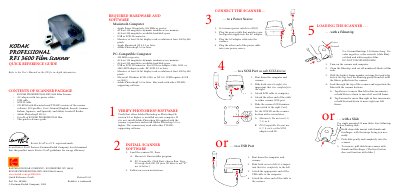
This document serves as a Quick Reference Guide for the Kodak Professional RFS 3600 Film Scanner. It provides essential instructions for connecting the scanner to a computer via USB or SCSI, loading 35 mm filmstrips or slides, and powering the device. The guide also lists the required hardware and software specifications for Macintosh and PC-compatible systems.
| Supported Film Types | 35 mm filmstrips 3-36 frames long; color negatives, color reversals, black and white negative film |
|---|---|
| Minimum RAM | 128 megabytes dynamic random access memory |
| Minimum Hard Disk Space | 200 megabytes available hard disk space |
| Minimum Monitor Resolution | 800 by 600 pixels |
| Default Resolution | 3600 dpi |
It supports 35 mm filmstrips 3-36 frames long, including color negatives, color reversals (slide film), and black and white negative film.
The scanner requires Adobe Photoshop 5.0 or later, or other TWAIN-supporting software.