
The EF0810 SXFI AIR Super X-Fi Bluetooth® Headphones are a high-end headphone that uses a 50mm neodymium driver, has a frequency response of 20Hz~20kHz, an impedance of 32Ω, a sensitivity of 105dB/mW@1kHz, and an internal USB-C charging port. It supports Super X-Fi sound effects and can be adjusted via the SXFI App and SXFI Control App.
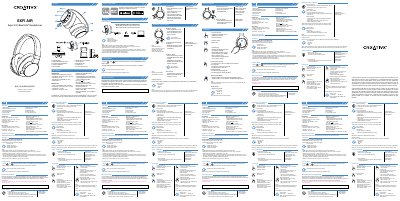
This document is the user manual for the Creative EF0810SXFI Air Super X-Fi Bluetooth Headphones. It provides instructions on using the RGB lighting, Super X-Fi button, and various input sources including Bluetooth, SD card, and USB. The guide details how to power the device, pair it with other devices, and manage audio playback and calls.
| Driver | 50mm Neodymium magnet |
|---|---|
| Frequency response | 20 Hz ~ 20 kHz |
| Impedance | 32 Ω |
| Sensitivity | 105 dB/mW @ 1 kHz |
| Wireless Type | Bluetooth 4.2 |
| Play Time | Up to 8hr |
| Charging Time | 2.5hr |
| Battery | 3.7V 1300mAH (4.81Wh) |
Press the Super X-Fi button once to activate SXFI and press it once again to deactivate it.
Press and hold the Power Button and Super X-Fi Button simultaneously for 5 seconds until the RGB lighting blinks twice in red.
Tap and hold the Touch Pad for 4 seconds to enter Mass Storage mode.
The wireless range is up to 10 meters.