
DWR-921 User Manual is a 4G LTE router user manual, which mainly introduces the product characteristics, functions, installation and use methods of the router.
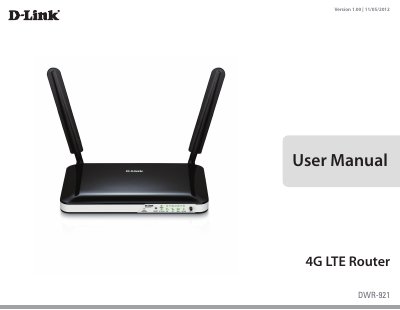
The D-Link DWR-921 is a 4G LTE router designed to provide mobile broadband internet access via UMTS/HSUPA and LTE networks. It allows users to share a secure 802.11n wireless network or use Ethernet ports to connect multiple devices. The device features dual-active firewalls (SPI and NAT) and supports various wireless security modes including WPA/WPA2.
| Wireless Standard | 802.11b/g, compatible with 802.11n devices |
|---|---|
| Max Wireless Data Rate | Up to 150 Mbps with 802.11n clients |
| LTE Downlink Speed | Up to 100 Mbps |
| LTE Uplink Speed | Up to 50 Mbps |
| LAN Ports | Four LAN ports (RJ-45) |
| Operating Temperature | 0 to 40 °C (32 to 104 °F) |
The router supports LTE bands at 800 / 900 / 1800 / 2600 MHz.
The device supports 64/128-bit WEP, WPA, and WPA2 security modes.
Press the Reset button on the front panel with an unfolded paperclip.