
This PDF file is the installation instructions for the Maxtor OneTouch USB driver. It mainly introduces the installation steps and precautions.
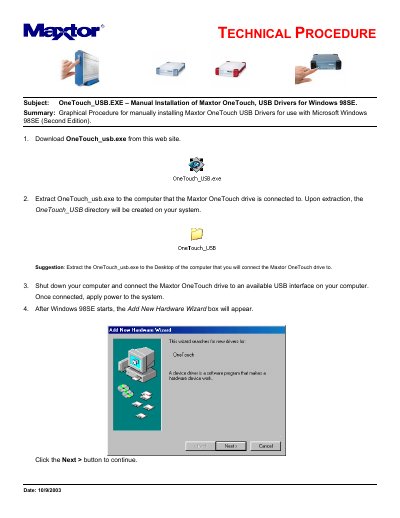
This document provides a graphical procedure for the manual installation of Maxtor OneTouch USB drivers. It is specifically designed for use with Microsoft Windows 98SE (Second Edition). The process involves extracting an executable file to create a driver directory and then using the Add New Hardware Wizard to locate and install the necessary software.
This guide is specifically for Microsoft Windows 98SE (Second Edition).
You must download and extract the file named OneTouch_usb.exe.
Select 'Specify a location:' in the wizard and browse to the OneTouch_USB directory.