
This document introduces the basic jumper settings for Maxtor ATA hard drives, including Master (single drive) and Cable Select settings, to help users install the hard drives correctly.
This document provides basic jumper settings for Maxtor ATA hard drives manufactured by Other World Computing. It advises users to review these settings before installation and suggests checking the manual that came with their computer for assistance with the overall installation process.
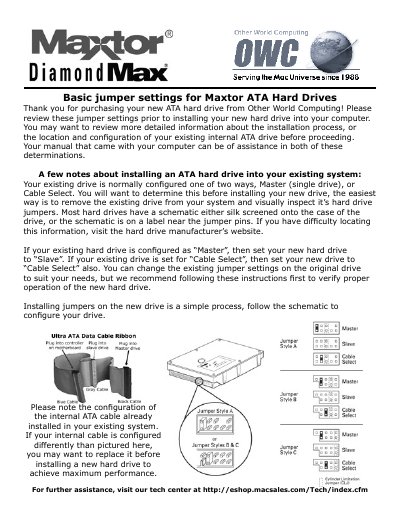
The guide explains how to configure a new drive based on the existing system's setup, specifically addressing Master or Cable Select configurations. It includes visual descriptions of jumper styles (Style A and Style B) relative to Ultra ATA Data Cable Ribbon connections.
You should also set the new drive to Cable Select.
You must set your new hard drive to Slave.
You should also set the new drive to Cable Select.