
Timex Ironman Data Link USB watch user guide
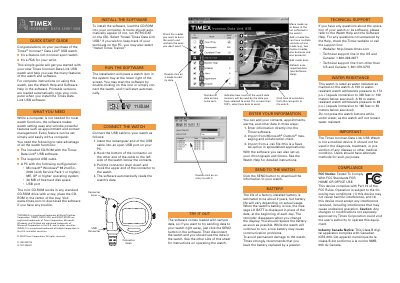
Congratulations on your purchase of the Timex Ironman Data Link USB watch. This simple guide will get you started with your new watch and help you use its many features. For complete instructions on using this watch, see the Watch Help and Software Help in the software.
To take advantage of all the watch functions, you need the included CD-ROM with the Timex Data Link USB software, the supplied USB cable, and a PC running Windows 98, 2000, ME, XP or higher. The guide details how to install the software, connect the watch to your computer, replace the battery when low, and operate various modes including Time of Day, Countdown Timer, Alarm, Chronograph, Interval Timer, and Options.
| Operating System Compatibility | Windows 98, 2000, ME, XP or higher |
|---|---|
| Hard Disk Space Required | 30 MB of free hard disk space |
| Battery Life Estimate | about 2 years |
When the battery is low, the message LO BATT is displayed in place of the date at the beginning of each day.
No, the Timex Ironman Data Link USB Watch is not a medical device and should not be used for diagnosis or treatment.