
Key facts
- Manuals
- 3
- Languages
- EN
- Last added
- 2026-09-28
Featured Timex manuals
TIMEX W217 Watch User Guide
This guide explains how to start the TIMEX W217 watch, set the time, date, day, and alarms, and use special functions such as the INDIGLO® night‑light, perpetual calendar, elapsed‑time, tachymeter, and compass rings. It also covers water and shock resistance limits and how to maintain the watch.
Additional sections describe how to adjust and resize the bracelet, remove links, and replace the battery safely. Safety warnings and warranty information are included at the end of the document.
Covers: How to Start Your Watch · Water and Shock Resistance · INDIGLO® Night‑Light · Date and Day Setting · Perpetual Calendar · Elapsed‑Time Ring
Timex Ironman Classic 50 Move+ Owner’s Manual
The Timex Ironman Classic 50 Move+ Owner’s Manual provides step‑by‑step instructions for setting up the watch, using its sport and health functions, and maintaining the device. It includes safety warnings, a list of included items, and detailed descriptions of each button and mode.
The manual also explains how to pair the watch with the Timex Connected app, manage alarms, timers, chronograph, activity tracking, and battery replacement, as well as regulatory information and FCC/IC notices.
Covers: Important Safety Instructions and Warnings · Watch Features and Button Operation · Battery · Water & Shock Resistance · Setting the Time/Date · Alarms
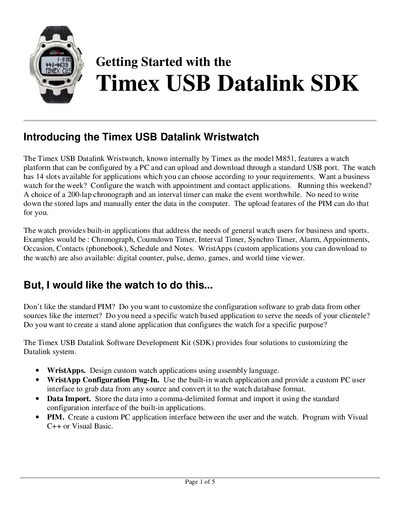
Timex M851 USB Datalink Wristwatch SDK Getting Started Guide
The Timex USB Datalink Wristwatch (model M851) can be configured via a PC and communicates through a standard USB port. It provides 14 application slots and supports custom WristApps written in assembly language. The SDK offers four solutions for customization, including WristApp development, configuration plug‑ins, data import, and PIM creation.
The document walks you through installing the SDK, examining the sample Counter WristApp source files, using the WristApp Builder to compile and create build scripts, and finally downloading the WristApp to the watch. It also lists additional reference guides for API usage, GUI plug‑ins, periodic tasks, and power‑consumption considerations.
Covers: Introduction · Designing WristApps · SDK Installation · Coding the WristApp · Running the WristApp Builder · Creating Build Scripts
Latest Timex manuals
TIMEX W217 Watch User Guide
User Manual 58 pages · 4.5 MB · ENThe TIMEX W217 watch user guide provides instructions for starting, setting time/date, alarms, water resistance, battery care, and bracelet adjustment.
Timex Ironman Classic 50 Move+ Owner’s Manual
User Manual 34 pages · 1.8 MB · ENOwner’s manual for the Timex Ironman Classic 50 Move+ watch, covering setup, features, usage, and maintenance.
Timex M851 USB Datalink Wristwatch SDK Getting Started Guide
Programming Manual 5 pages · 99 KB · ENThis guide introduces the Timex M851 USB Datalink Wristwatch SDK and explains how to develop, build, and download custom WristApps.
Which document do I need?
User Manual
Day-to-day operation, settings and troubleshooting. Start here if the product is already set up.
Programming Manual
Instruction set, parameters and examples for configuring or programming the device.
Questions answered in Timex manuals
How do I start the watch?
Remove the plastic guard from under the crown and press the crown against the case; the second hand will begin advancing in one‑second intervals.
How do I set the time?
Pull the crown out to the “C” position, turn it to the correct time, then push the crown back in.
What is the water‑resistance rating of the watch?
The watch is water‑resistant to 100 meters (328 ft) or 160 psi.
How many alarms does the Classic 50 Move+ have?
It has three programmable alarms.
How many application slots does the Timex M851 watch have?
It provides 14 slots for applications.
From: Timex M851 USB Datalink Wristwatch SDK Getting Started Guide
What is required to develop a custom WristApp?
You need the Timex USB Datalink watch, a Windows PC with a USB port, a text editor, and assembly‑language experience.
From: Timex M851 USB Datalink Wristwatch SDK Getting Started Guide