
Timex Ironman Data Link USB watch instruction manual
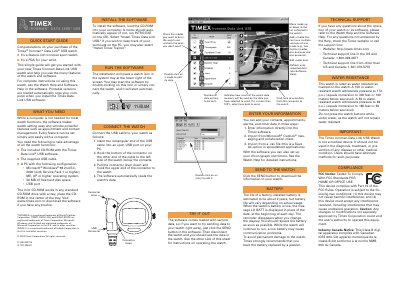
This guide introduces the Timex Ironman Data Link USB watch, described as a feature-rich sport watch and a PDA for the wrist. It outlines the necessary components for setup, including the included CD-ROM with Timex Data Link USB software and the supplied USB cable, along with PC system requirements such as Windows 98, 2000, ME, or XP.
| Battery Life | about 2 years |
|---|---|
| Water Resistance (100m) | 172 p.s.i. |
| Water Resistance (50m) | 86 p.s.i. |
| Operating System | Windows 98 2nd Ed., 2000, ME, XP |
Press the crown to activate the light, or hold it for 4 seconds to activate the NIGHT-MODE feature for 8 hours.
The life of a factory-installed battery is estimated to be about 2 years.
When the NIGHT-MODE feature is active, it remains on for 8 hours.
When you take a split, the display freezes for 10 seconds before resuming.