
FACS Calibur user guide, introduces the items to be prepared before using the instrument, the steps of turning on and off the instrument, how to connect the instrument to the computer, and how to create data files and draw different types of charts
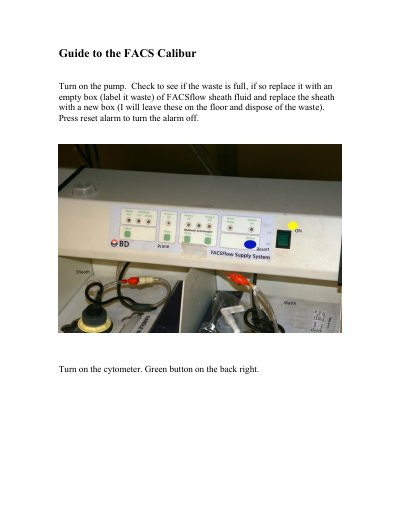
The document serves as a practical guide for using the BD FACS Calibur flow cytometer. It details the initial setup steps, including turning on the pump and checking waste fluid levels, followed by software initialization via CellQuest Pro. The manual explains how to configure acquisition settings within the software interface.
Press the green button located on the back right of the instrument.
A tube of MilliQ water is left on the Sample Injection Port at all times.
Run dilute (10% bleach) through the machine on HI for 5 minutes followed by MilliQ on HI for 5 minutes.