
This manual provides step-by-step instructions on how to use this broadband router to connect to the internet. It includes installation instructions and a quick setup wizard that guides you through setting up the device to connect to your ISP.
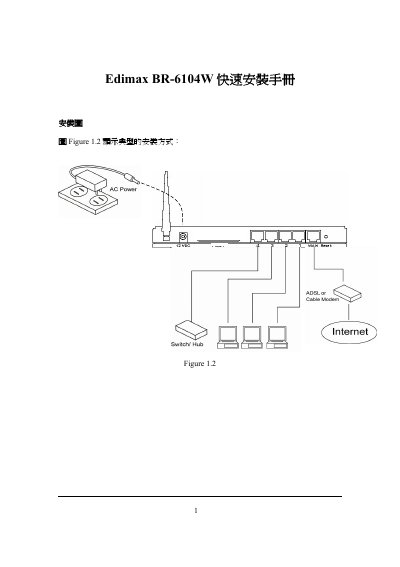
This document is the Quick Installation Guide for the Edimax BR-6104W broadband router. It provides an overview of the device's front and rear panel indicators and ports, including details on WAN and LAN port speeds and the function of the Reset button.
The guide details the preparation steps for computer configuration, such as setting TCP/IP to obtain an IP address automatically. It then provides a step-by-step walkthrough for the initial setup via the Web interface, including time zone selection, broadband type configuration (specifically PPPoE xDSL), and verifying the internet connection status. This manual is written in Chinese.
The default IP address for the router is 192.168.2.1.
You must press and hold the Reset button for 5 to 10 seconds.
SeedNet users should select the PPPoE xDSL option.