
This document provides a setup guide for the DS-310 and DS-360W scanners manufactured by Epson Corporation. It includes installation instructions for Windows, Mac OS X, iOS, and Android systems. The document also mentions the importance of not connecting a USB cable without instructions and allowing access for Epson applications if a firewall alert appears.
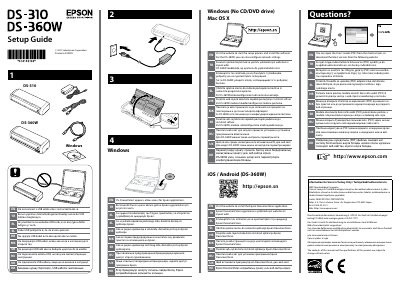
This document serves as a setup guide for the Epson DS-310 and DS-360W document scanners. It outlines the initial steps required to install the device and configure it for use with various operating systems, including Windows, Mac OS X, iOS, and Android.
The guide emphasizes safety precautions regarding USB connections and firewall settings before proceeding with installation. Users are directed to visit the manufacturer's website to download the Epson DocumentScan application and access additional resources such as the User's Guide.
Allow access for Epson applications.
Visit the website to start the setup process and install the software.