
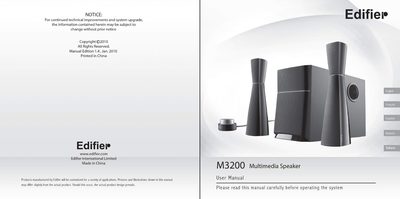
This manual covers safety precautions, box contents, and detailed connection steps for the Edifier M3200 multimedia speaker system, which includes a subwoofer, two satellite speakers, and a wired controller. It explains how to connect the speakers, power the unit, and adjust volume and bass controls.
The document also lists the technical specifications of the system, provides troubleshooting tips for common issues such as non‑functioning speakers or noise, and offers contact information for Edifier support.
| RMS Power | 2 × 9 W + 16 W (THD = 10 %) |
|---|---|
| Mid‑range Unit | 20 mm × 90 mm, magnetically shielded, 4 Ω |
| Subwoofer Dimensions | 155 × 236 × 330 mm (W × H × D) |
| Satellite Dimensions | 74 × 282 × 89 mm (W × H × D) |
| Gross Weight | ≈ 6.6 kg |
First verify that all speaker wires are securely connected, then make sure the line‑in connectors are not reversed and that the audio source is functioning.
This is usually caused by a faulty connection of the CD‑ROM or sound card that shorts one channel to ground; adjust the wiring according to the CD‑ROM and sound‑card manuals.
Check that the power cord is plugged in and the wall outlet is switched on, ensure the master volume is not set to minimum, confirm the audio cable is connected, and verify that the audio source is providing a signal.
Keep the system in active mode, remove the audio source, and make sure the source device (e.g., VCD/DVD player or computer sound card) is not generating excessive background noise.