
The Edifier X3 multimedia speaker user manual provides setup instructions, safety warnings, specifications, and troubleshooting tips.
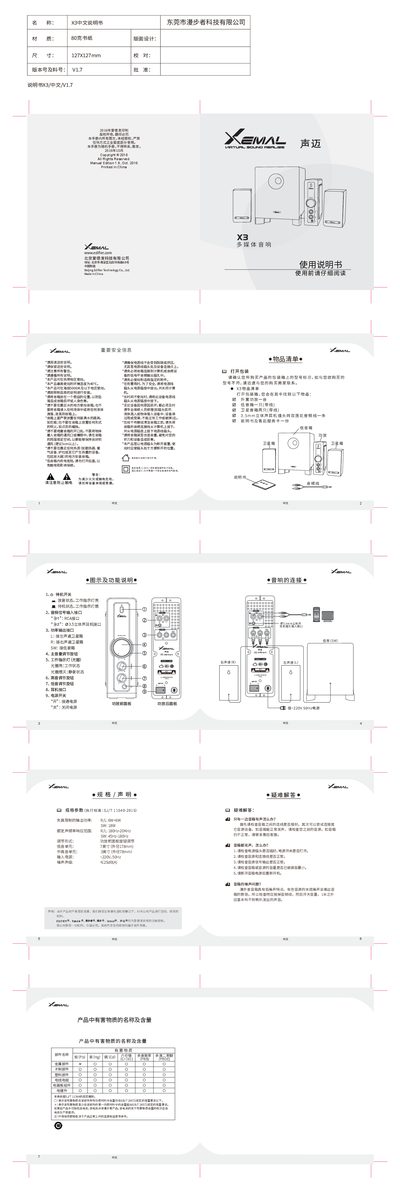
The manual lists the package contents for the X3 system, including an external amplifier, one bass speaker, two satellite speakers, a 3.5 mm audio cable, and the documentation itself. It describes the front‑panel controls such as power switch, volume knobs, and indicator lights, as well as the rear‑panel connections for RCA left/right, headphone, and bass speaker outputs.
Safety information emphasizes proper installation, avoiding water exposure, keeping the speaker away from heat sources, and using only the supplied accessories. The specifications section details power output, frequency response, input voltage, noise level, and driver sizes. A troubleshooting section helps resolve common issues like no sound or noise problems. This manual is written in Chinese.
| Output Power | R/L: 6W+6W, SW: 18W |
|---|---|
| Frequency Response | R/L: 180 Hz‑20 kHz, SW: 45 Hz‑180 Hz |
| Input Voltage | ~220 V, 50 Hz |
| Noise Level | ≤25 dB(A) |
| Bass Driver Size | 7 inch (diameter 178 mm) |
| Mid‑High Driver Size | 3 inch (diameter 78 mm) |
Check that the power plug is firmly inserted and the power switch is on, verify the audio source and cables, ensure the source volume is not at minimum, and try restarting the speakers.
Connect the left and right satellite speakers to the L and R outputs using RCA cables, and connect the bass speaker to the SW output. Use the 3.5 mm jack for headphones if needed.