
This document provides information about the features and characteristics of products from Fortinet Incorporated. It includes information about trademarks, registered trademarks, and regulatory compliance. The document also provides details about the product's connectivity options, port descriptions, and main functionalities.
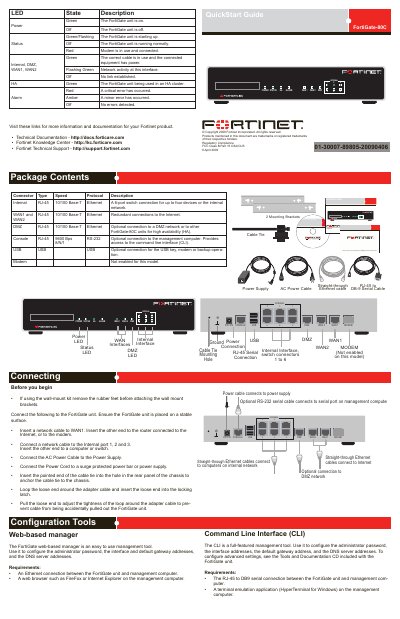
This document serves as a quick start guide for the Fortinet FortiGate-30B firewall. It details the package contents, including the unit, power supply, and cables, and explains the physical layout of the rear panel connectors such as WAN, Internal, DMZ, and Console ports. The guide also describes the function and status indications of the various LEDs on the front panel. This manual is written in Chinese.
| Console Port Speed | 9600 Bps 8/N/1RS-232 |
|---|---|
| Internal Interface Speed | 10/100 Base-T Ethernet |
| WAN Interface Speed | 10/100 Base-T Ethernet |
| Power Input | DC+12V |
| Modem Support | Not enabled |
The factory default internal interface IP address is 192.168.1.99.
The factory default management IP address is 0.0.0.0.
The default username is admin and no password is required.
The factory default WAN1 interface IP address is 192.168.100.99.