
This document is a user manual for Argox X series industrial barcode printers. The manual includes introduction, operation instructions, troubleshooting, maintenance, and technical references for the printers. Through this manual, users can learn about the features and characteristics of this series of printers.
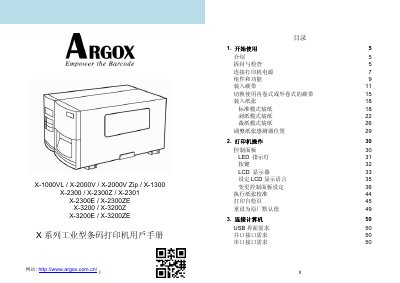
This user manual provides instructions for the Argox X Series industrial barcode printers, including models such as the X-1000VL, X-1300, X-2000V, X-2300, X-2301, X-2300E, and X-3200 series. It guides users through unboxing, connecting power, loading ribbons and labels, and operating the control panel. This manual is written in Chinese.
| Print Method | Thermal and Thermal Transfer |
|---|---|
| Print Resolution | 203 dpi or 300 dpi |
| Print Width | Max 4.09 inches (104mm) |
| Print Length | Max 50 inches (1270mm) |
| Memory | 8MB DRAM |
| CPU Type | 32-bit RISC Microprocessor |
| Operating Temperature | 4°C ~ 38°C |
| Power Supply | 100~240 VAC, 50/60 Hz |
The printer supports wax, wax-resin, and full-resin ribbons.
Yes, the design allows for both internal and external ribbon configurations.
The printer supports Windows XP, Vista, 7, 8, and 10.