
This document is a user manual for the MP series barcode printers produced by Argox Information Co., Ltd. The manual covers the introduction, getting started, printer operations, communication, troubleshooting and routine maintenance, and product specifications of the printer.
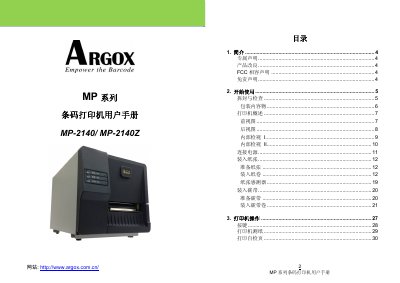
This user manual covers the Argox MP Series barcode printers, specifically models MP-2140 and MP-2140Z. It guides users through unboxing, initial setup, and connecting the device to a computer via USB, serial, or parallel interfaces. The document includes detailed instructions on loading paper and ribbon, operating the printer controls, and printing self-test pages. This manual is written in Chinese.
| Print Method | Thermal Transfer / Thermal Sensing |
|---|---|
| Resolution | 203 dpi (8 dots/mm) |
| Print Speed | 2~4 ips (50~101.6 mm/s) |
| Memory | 8MB RAM, 8MB Flash |
| CPU | 32-bit RISC Microprocessor |
The maximum print width is 4.1 inches (104mm).
The printer supports a maximum print length of 100 inches.
The printer has a print speed of 2 to 4 inches per second.