
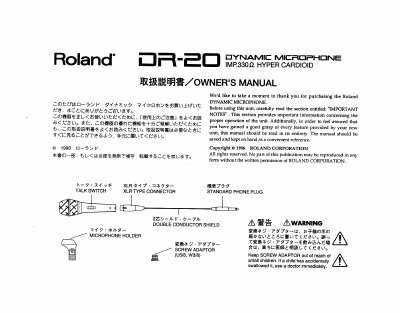
Roland DR-20 Dynamic Microphone User Manual


Roland DR-20 Dynamic Microphone User Manual - cover page
Brand
Roland
Category
Other Electronics
Document type
User Manual
Language
English
Pages
6
File format
PDF
File size
134 KB
Published
10 August, 2012
Updated
10 August, 2012
MD5 checksum
6E3649C5CE9B211A4F745AA5E9873FE5

About this manual

This manual provides instructions for the Roland DR-20 dynamic microphone, a unit featuring a talk switch, a special wind screen, and a floating system to reduce noise. It details how to connect the microphone to an XLR connector and a standard phone jack input on a mixer or other device.

What's inside

  • IMPORTANT NOTES
  • OPERATION
  • PIN ASSIGNMENT
  • SAFETY PRECAUTIONS
  • CLEANING
  • DIMENSIONS
  • FREQUENCY RESPONSE
  • SPECIFICATIONS

Specifications

Frequency Response60-15000 Hz
Dimensions51 x 170 x 21.5 mm
WeightApprox. 250 g

Frequently asked questions

How do I turn the microphone on?

Turn the Talk switch on.

What should I do if I experience howling?

Change the orientation of the microphone, move it further from the speakers, or lower the volume levels.

Download PDF (134 KB)

More Roland Manuals


View all Roland manuals →