
This manual introduces the operation of ED72-123A intelligent touch Controller, including quick reference, air conditioner operation, monitoring and so on.
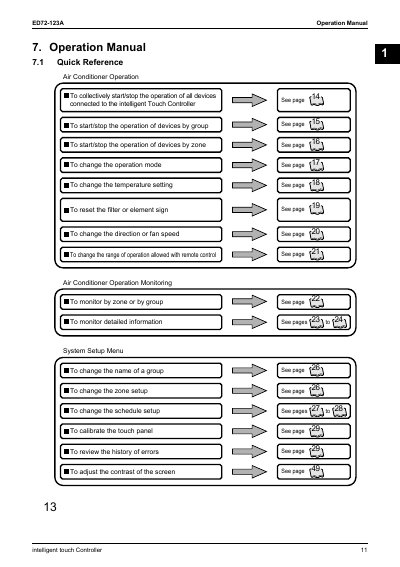
The ED72-123A Intelligent Touch Controller is designed to manage and monitor air conditioning systems. It allows users to collectively start or stop connected devices, as well as control operations by specific zones or groups. The controller supports various display modes and types to facilitate easy monitoring of system status.
On the Monitoring screen, press the Start All or Stop All button on Screen 1.
Yes, selecting a zone and switching the operation mode switches the mode of all air conditioners in that zone.
The available operation modes include Fan, Cool, Heat, and Auto, depending on the air conditioner settings.
Select the zone or group, press Advanced Func, and then select Yes for Filter Sign Reset.