
This manual introduces the features and usage of the Extech HD200 Differential Thermometer Datalogger. The device supports differential temperature measurements using two K-type thermocouple probe inputs and provides selectable units of °C, °F or °K. The large backlit LCD display shows a versatile combination of readings: T1, T2, T3, T1-T2, T1-T3, T2-T3, plus MAX-MIN-AVG readings. The electronic offset feature permits compensation adjustment for thermocouple errors and to maximize overall accuracy. The HD200 can also make non-contact temperature measurements with the supplied IR thermometer probe. The HD200 datalogger can store 18,000 measurement readings (for each channel) in the meter’s internal memory. Stored readings can later be transferred to a PC using the supplied PC USB interface kit. Real-time meter-to-PC logging is also supported. This meter is shipped fully tested and calibrated and, with proper use, will provide years of reliable service.
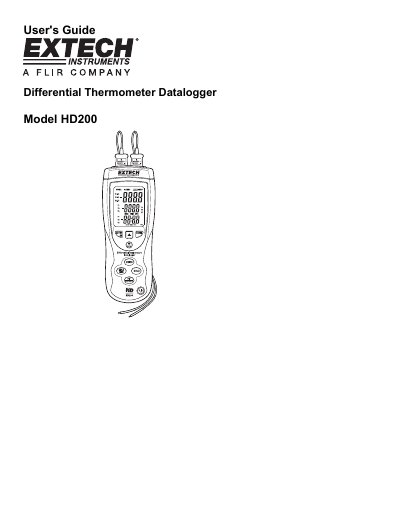
The Extech HD200 is a differential thermometer datalogger that supports measurements using dual Type K thermocouple inputs and an infrared (IR) probe. It allows users to view various temperature combinations, including T1, T2, T3, and their differences, as well as maximum, minimum, and average readings on a backlit LCD display.
| Thermocouple Inputs | Dual Type K |
|---|---|
| Memory Capacity | 18,000 readings per channel |
| IR Field of View Ratio | 8:1 |
| Offset Adjustment Range | +/- 5.0°C or +/- 9.0 °F |
| Default Sample Rate | 1 second |
Press the Power button to turn it on, or press and hold the button for 3 seconds to turn it off.
Press the °C-°F-°K button to cycle through Celsius, Fahrenheit, and Kelvin.