
The Extech Phase Indicator DMM is a high-accuracy multi-function meter that includes voltage, resistance, frequency, capacitance, and temperature measurement capabilities. It also provides phase indication, low battery warning, and over-range indication.
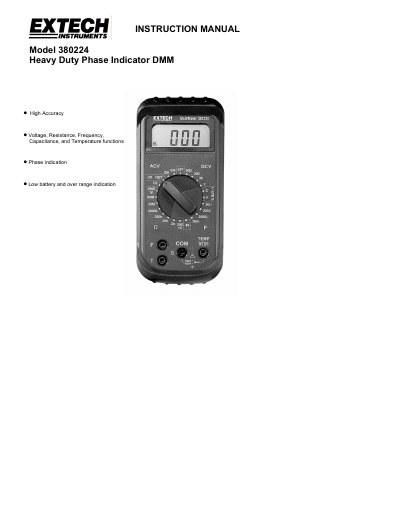
The Extech Model 380224 is a professional digital multimeter featuring high accuracy measurements for voltage, resistance, frequency, capacitance, temperature, and phase indication. It includes low battery and over-range indications to ensure safe operation.
This manual provides instructions on preparing the meter for measurement, operating various functions including DC/AC voltage, continuity, diode testing, and three-phase rotation checks. It also details safety precautions, maintenance procedures such as battery replacement, and warranty information.
| Display Count | ±1999 (3-1/2 digit) |
|---|---|
| Sample Rate | Approx. 2 samples per second |
| Power Supply | 9V battery (NEDA 1604) |
| Battery Life | Approx. 200 hours |
| Operating Temperature | 32°F to 122°F (0°C to 50°C) |
| DC Voltage Range | 2, 20, 200, 600V |
| AC Voltage Range | 200, 600V |
| Frequency Range | 10Hz to 100kHz |
| Phase Range | 45 to 450Hz; Voltage range: 80 to 480V |
The battery life is approximately 200 hours when using a carbon-zinc battery.
The meter uses a K-type thermocouple sensor for temperature measurements.
If the wiring is correct, the RST and "OK" LCD icons will appear and an audible tone will sound continuously.
Remove power from the device under test, reconfigure the wiring, and apply power again to test for correct phase.