
This guide explains how to enable or disable Safety Mode on your navigation device.
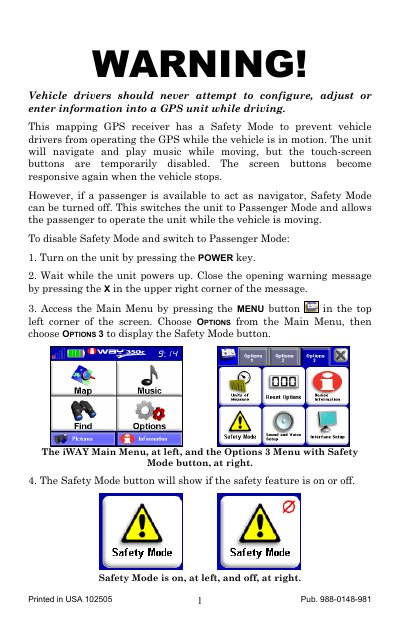
The iWAY 350C GPS receiver features a Safety Mode designed to prevent vehicle drivers from configuring or entering information while the vehicle is in motion. When active, the touch-screen buttons are disabled, allowing the unit to navigate and play music safely. This mode can be toggled on or off by the driver or a passenger.
The touch-screen buttons become temporarily disabled while the vehicle is in motion, but navigation and music playback continue.
Access the Main Menu, select Options, then choose Options 3 to display the Safety Mode button, and tap it to disable the feature.
No, drivers should never attempt to configure the unit while driving; this feature is intended for passengers to operate.