
GOLDLINE CONTROLS nstallation/Operation Manual for model AQL-WW-PS-4 AQL-WW-PS-8 AQL-WW-PS-16

This manual describes the installation and operation instructions for the AQL-WW-PS-4/8/16 Aqua Logic Remote Display/Keypad.
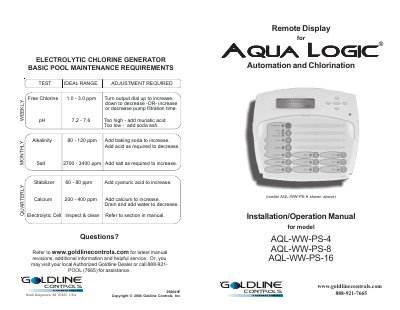

GOLDLINE CONTROLS nstallation/Operation Manual for model AQL-WW-PS-4 AQL-WW-PS-8 AQL-WW-PS-16 - cover page
Brand
Goldline
Document type
User Manual
Language
English
Pages
8
File format
PDF
File size
344 KB
Published
11 July, 2012
Updated
30 September, 2023
MD5 checksum
F4F5B4F11AFD00AC3086732264ED3742

About this manual

This document provides installation instructions for the Goldline Controls Aqua Logic Remote Display/Keypad (models AQL-WW-PS-4, -8, and -16). It details compatibility requirements with main software r2.00 or higher, mounting options for indoor or weather-protected areas, and wiring procedures using four-conductor cable up to a maximum distance of 500 feet.

What's inside

  • Compatibility
  • Mounting
  • Wiring
  • Operation
  • Troubleshooting

Frequently asked questions

What is the maximum length for the wire connecting the remote display to the main unit?

The wire running from the Aqua Logic main unit to the remote display must be less than 500 feet long.

How many remote display/keypads can be connected to a single Aqua Logic main unit?

The Aqua Logic main unit can connect to a maximum of 3 remote display/keypads.

What happens if the display backlight turns off after a period of time?

You can stop this by pressing the menu key until 'Settings Menu' appears, then selecting 'Display Light', and choosing either 'Always On' or 'On for 60 sec.'

Download PDF (344 KB)

More Goldline Manuals


View all Goldline manuals →