
This document is the user manual of HI 96762 Free Chlorine Meter
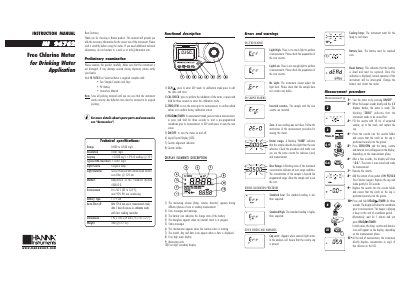
This document is an instruction manual for the Hanna Instruments HI96762 Free Chlorine Meter designed for drinking water applications. It details the preliminary examination of the device, which includes checking for damage and verifying the contents of the package such as sample cuvettes, caps, and a battery.
The guide provides comprehensive instructions on using the meter's functional keys like GLP/A, CAL CHECK, ZERO/CFM, and READ/D> /TIMER. It explains how to perform measurements, including zeroing the instrument, adding reagents, and interpreting results in mg/L. The manual also covers error messages, validation procedures using Hanna CAL CHECK standards, calibration steps, battery management, and environmental specifications.
| Range | 0.000 - 5.00 mg/L |
|---|---|
| Resolution | 0.001 mg/L |
| Typical EMC Deviation | +0.001 mg/L |
| Light Detector | Silicon Photocell with narrow band interference filter @ 525 nm |
| Environment Temperature | 0 to 50°C (82 to 122°F) |
| Battery Type | 1x9 volt |
| Dimensions | 192x104 x 69 mm (7.6 x41 x27) |
| Weight | 360 g (12.7 oz) |
One fresh battery lasts for around 750 measurements, depending on the light level.
If the display shows 'STD LOW', verify that both CAL CHECK Standard Cuvettes A and B are free from fingerprints or dirt.
Press GLP/A to enter GLP mode, then press READ/P/TIMER to enter the factory calibration restore screen.