
Boxlight Pro4500dp DLP Projector User's Manual

This is a user manual for the Boxlight Pro4500dp projector
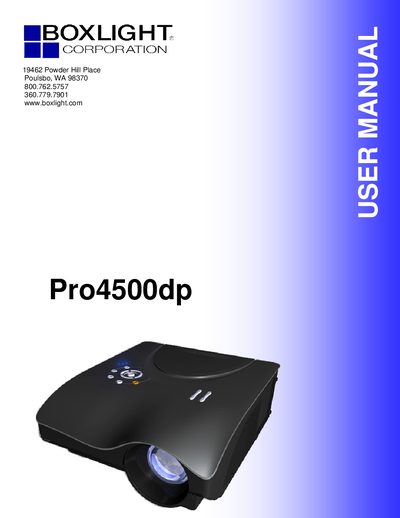

Boxlight Pro4500dp DLP Projector User's Manual - cover page
Brand
BOXLIGHT
Category
Projector
Document type
User Manual
Language
English
Pages
61
File format
PDF
File size
5.5 MB
Published
06 July, 2012
Updated
30 September, 2023
MD5 checksum
BF17681EA95213B48592D7B1F38E6E6C

About this manual

The Boxlight Pro4500dp is a lightweight DLP projector compatible with NTSC, PAL, and SECAM video standards. It supports resolutions up to UXGA at 16.7 million colors and features advanced keystone correction for square line-of-vision projections from various angles.

This manual covers the entire user lifecycle of the device, including unpacking checks, connecting input devices, adjusting zoom and focus, navigating the On-Screen Display (OSD) menus, and performing maintenance tasks such as replacing the projection lamp.

What's inside

  • Getting Started
  • Setup and Operation
  • On-Screen Display Menu Settings
  • Maintenance and Security
  • Replacing the Projection Lamp
  • Troubleshooting

Frequently asked questions

What is the maximum resolution supported by the projector?

The projector supports resolutions up to UXGA at 16.7 million colors.

How long should the lamp cool before replacing it?

You must allow the lamp to cool for about one hour before replacing it.

What type of batteries are required for the remote control?

The remote control requires two AAA batteries.

Download PDF (5.5 MB)

More BOXLIGHT Manuals


View all BOXLIGHT manuals →