
This user's guide introduces the use of Uniden BT108 and BT109 Bluetooth headsets. The headset can connect to the phone via Bluetooth and supports answering and hanging up calls, voice dialing, volume adjustment and other functions.
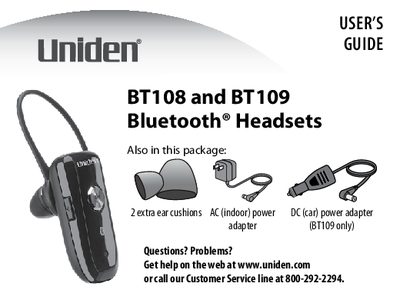
The Uniden BT108 and BT109 are Bluetooth headsets designed to connect with mobile phones. The manual details how to charge the lithium-polymer battery using the included AC or DC power adapters, noting that charging should take at least 8 hours for optimal performance.
Once charged, users can pair the headset with a phone by entering the PIN code 0000. After pairing, the headset automatically connects when powered on and allows users to make calls, answer incoming calls, reject calls, redial the last number, and activate voice dialing.
| Battery Type | Lithium-polymer battery |
|---|---|
| Minimum Charge Time | 8 hours |
| Pairing PIN Code | 0000 |
You must charge the battery for at least 8 hours before using your headset.
The PIN code required to pair the BT108 or BT109 with a phone is 0000.