
Uniden BT229 Bluetooth Headset User's Guide

This is the user manual for the Uniden BT229 Bluetooth headset
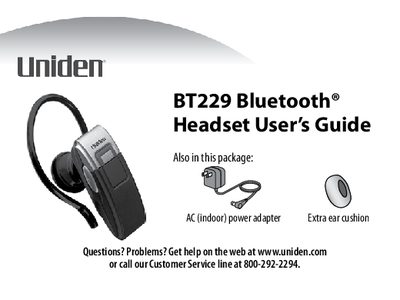

Uniden BT229 Bluetooth Headset User's Guide - cover page
Brand
Uniden
Category
Telephone
Document type
User Manual
Language
English
Pages
16
File format
PDF
File size
401 KB
Published
05 July, 2012
Updated
30 September, 2023
MD5 checksum
B7EBF76698F39A39CEEBE147E395F869

About this manual

The Uniden BT229 Bluetooth headset is a hands-free device designed for use with mobile phones. The guide explains how to charge the lithium-polymer battery using the included AC adapter and details the LED indicators for battery status and connection states. It covers the functions of the multi-function button (MFB) and volume controls for answering, rejecting, transferring, and ending calls.

What's inside

  • Getting to Know the Headset
  • What the buttons do
  • Setting Up Your Headset
  • Charge the battery
  • Pair the headset to your Bluetooth phone
  • Connect to your phone
  • Using Your Headset
  • Available Features
  • Two-Year Limited Warranty

Specifications

Battery TypeLithium-polymer
Charging Timeabout 2 hours
Warranty Durationtwo years

Frequently asked questions

What is the PIN code for pairing?

The PIN code to pair the headset with a phone is 0000.

How long does it take to fully charge the headset battery?

It takes about 2 hours to charge the battery until the red LED is solid on.

What PIN code is required to pair the headset with a phone?

You must enter 0000 when your phone prompts you for a PIN code.

Download PDF (401 KB)

More Uniden Manuals


View all Uniden manuals →