
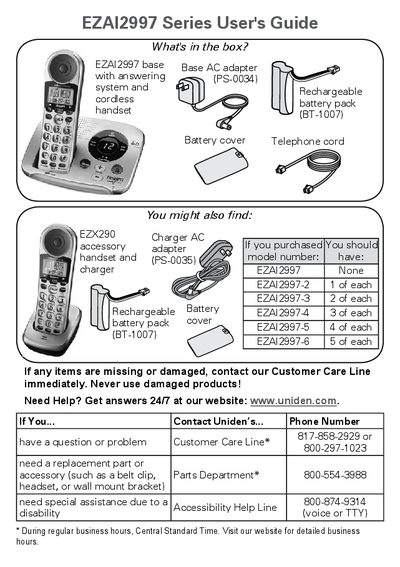
This document describes the accessories and charger for the EZAI2997 series products, as well as how to contact customer service for problem solving and accessory replacement. Important safety precautions are also provided.
The document provides instructions for installing the Uniden EZAI2997 Series cordless telephone, including charging the battery packs, connecting the base AC adapter, and linking the telephone line. It details how to test connections and troubleshoot issues such as missing dial tones or static noise.
Subsequent sections explain the functions of keys on both the base unit and the handset, display icons, and various features like the phonebook, caller ID, call waiting, conference calling, privacy mode, and the answering system setup.
| Battery Charging Time | about 15 hours |
|---|---|
| Base AC Adapter Voltage | 7.8V |
| Charger AC Adapter Voltage | 8V |
You must charge all handsets completely for about 15 hours before using them.
Pressing the MUTE key mutes the microphone so the caller cannot hear you.