
This is a remote operation card manual for Uniden DXAI4588 Series C cordless telephone
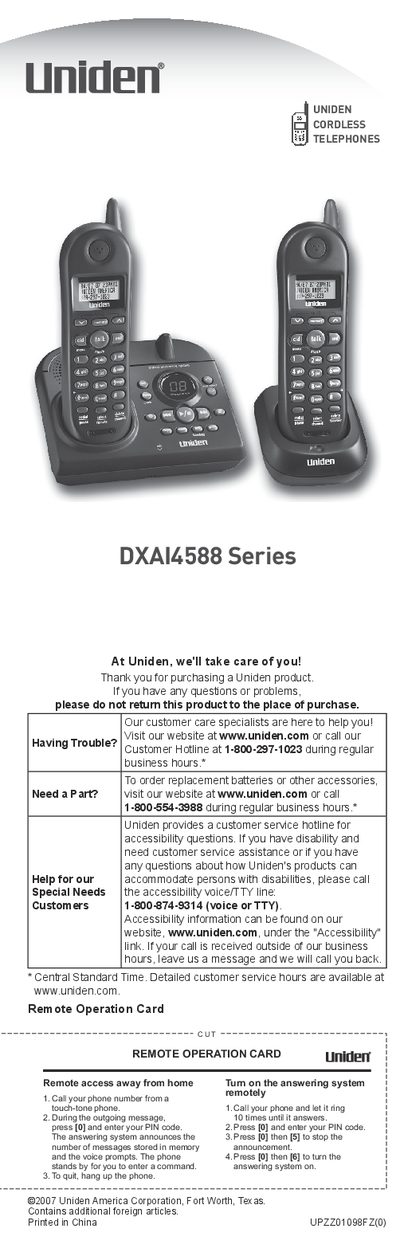
The Uniden DXAI4588 Series is a cordless telephone system featuring a dual-handset configuration, a digital tapeless answering machine, and trilingual menu displays. The system operates on 2.4 GHz technology and supports features such as Caller ID, call transfer, and auto scan.
| Frequency | 2.4 GHz |
|---|---|
| Recording Time | Up to 13 minutes |
| Caller ID Memory | 30 |
| Number Memory Dialing | 10 |
| Auto Scan Channels | 20-Channel |
| Languages | English, Spanish, or French |
| Display Type | 3-Line Backlit LCD |
You must use only the Uniden BT-1006 rechargeable battery pack supplied with the phone.
The handsets should be charged for at least 15 to 20 hours before plugging in the phone cord.
Use the supplied AD-314 AC adapter for the base and AD-310 or AD-1010 for the charger.
Place the handset in the base, wait for the charge/in use LED to flash, then press [talk/flash] to confirm registration.