
Midland WR-120 Weather Radio Owner's Manual

This document introduces the use of WR-120 radio.
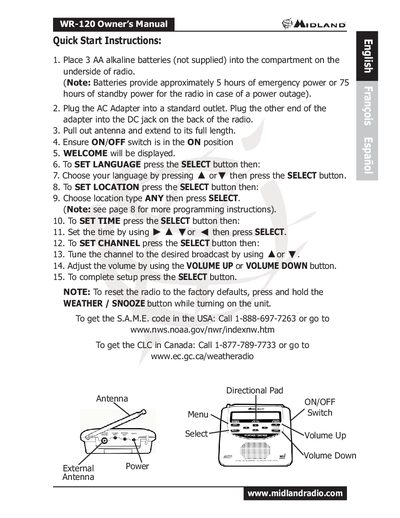

Midland WR-120 Weather Radio Owner's Manual - cover page
Brand
Midland
Category
Other Electronics
Document type
User Manual
Language
English
Pages
3
File format
PDF
File size
146 KB
Published
02 July, 2012
Updated
30 September, 2023
Model
WR-120
MD5 checksum
515902B3455404B7A97CF661CCCA5BC0

About this manual

This document is the Owner's Manual for the Midland WR-120 Weather Radio. It provides quick start instructions for initial setup, including inserting batteries, connecting the AC adapter, and extending the antenna. The guide details how to configure the device by setting the language, location type, time, and desired broadcast channel.

What's inside

  • Quick Start Instructions
  • Battery Installation
  • AC Adapter Connection
  • Antenna Setup
  • Language Selection
  • Location Setting
  • Time Configuration
  • Channel Tuning
  • Volume Adjustment
  • Factory Reset

Frequently asked questions

How long do batteries provide emergency power?

Batteries provide approximately 5 hours of emergency power for the radio in case of a power outage.

How long do batteries provide standby power?

Batteries provide approximately 75 hours of standby power for the radio in case of a power outage.

How do I reset the radio to factory defaults?

To reset the radio, press and hold the WEATHER / SNOOZE button while turning on the unit.

Download PDF (146 KB)

More Midland Manuals


View all Midland manuals →