
Yamaha TXn V1.3 Supplementary Manual

TXn firmware V1.3 new and changed functions

Yamaha TXn V1.3 Supplementary Manual - cover page
Brand
Yamaha
Category
amplifier
Document type
User Manual
Language
English
Pages
1
File format
PDF
File size
47 KB
Published
11 June, 2012
Updated
30 September, 2023
MD5 checksum
90F174266057BD7AC100866D67EF523F

About this manual

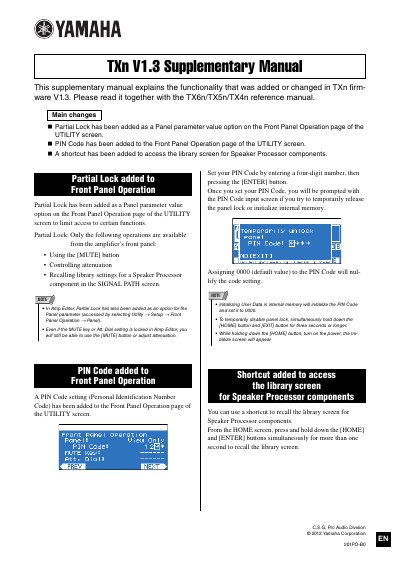
This supplementary manual explains the functionality added or changed in the TXn firmware V1.3. It is intended to be read together with the TX6n/TX5n/TX4n reference manual. The document covers three main changes: the addition of Partial Lock, the addition of a PIN Code, and a shortcut to access the library screen for Speaker Processor components.

What's inside

  • Main changes
  • Partial Lock added to Front Panel Operation
  • PIN Code added to Front Panel Operation
  • Shortcut added to access the library screen
  • Front Panel Operation
  • UTILITY screen
  • Amp Editor
  • SIGNAL PATH screen
  • Speaker Processor components
  • Initialize screen

Frequently asked questions

What does Partial Lock limit access to on the front panel?

Partial Lock limits access to using the [MUTE] button, controlling attenuation, and recalling library settings for a Speaker Processor component.

How do you set a PIN Code on the TXn?

Set your PIN Code by entering a four-digit number, then pressing the [ENTER] button.

How can you temporarily disable the panel lock?

Simultaneously hold down the [HOME] button and [EXIT] button for three seconds or longer.

Download PDF (47 KB)

More Yamaha Manuals


View all Yamaha manuals →