
This document describes the workflow for screening pesticides using Agilent TOF LC/MS and Q-TOF LC/MS
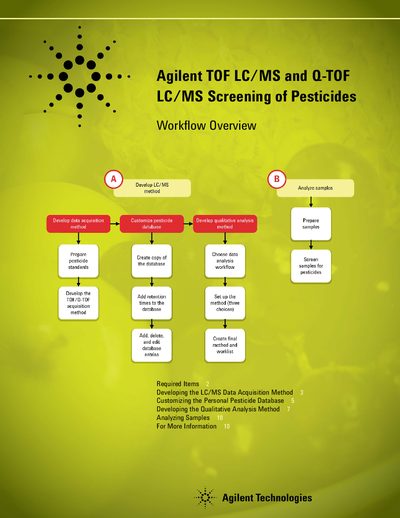
This manual outlines the workflow for developing an LC/MS data acquisition method to screen for pesticides. It details the required hardware, including specific Agilent Infinity LC series and Accurate-Mass TOF/Q-TOF mass spectrometers, along with necessary MassHunter software versions.
The guide covers customizing the Personal Pesticide Database by analyzing standards and updating retention times. It also explains two qualitative analysis workflows: finding targets using Molecular Feature Extraction (MFE) or searching by molecular formula.
| Required Mass Spectrometers | Agilent 6200 Series Accurate-Mass TOF LC/MS System; Agilent 6500 Series Accurate-Mass Q-TOF LC/MS System |
|---|---|
| Required Software Version | B.03.01 SP3 (Qualitative Analysis); B.02.01 (Data Acquisition) |
| Database Kit Part Number | G6854AA |
You need one of the following: Agilent 1220, 1260, or 1290 Infinity LC; or Agilent 1200 Series LC/Rapid Resolution LC system.
Analyze retention time standards, export the mass list to a CSV file, and use the Batch Search tab in PCDL software to update the entries.
The document describes 'Find targets' workflow for speed and sensitivity, and 'Find by Formula' workflow for added sensitivity.