
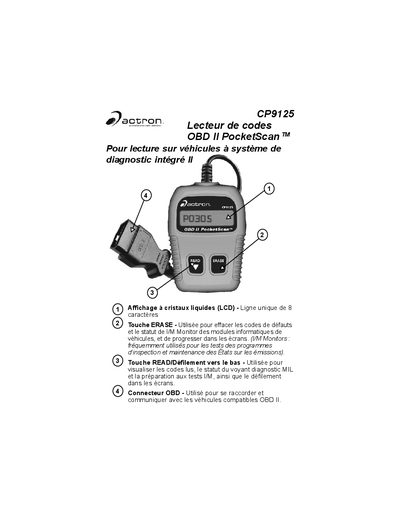
CP9125 is a OBD II PocketScan TM model vehicle fault code reader, with features such as LCD display, code erasing, reading/scrolling down, etc. It can be connected and communicate with compatible OBD II vehicles.
This document is the French user manual for the Actron CP9125 PocketScan OBD II code reader. It provides essential safety warnings regarding vehicle testing and battery acid handling before operation.
The guide details how to connect the device to a vehicle's DLC connector, start the engine, and use the READ button to display diagnostic trouble codes (DTCs) and I/M Monitor status. This manual is written in French.
| Display type | LCD - Single line of 8 characters |
|---|---|
| Erase function | Clears fault codes and I/M Monitor status |
No, for reading fault codes and I/M Monitor status, the ignition must be ON but the engine does not need to be started.
The tool clears fault-related diagnostic codes after 40 start cycles if the same defect is not detected.
You must cut the ignition key for 10 seconds before restarting and repeating the diagnostic data sequence.