
This manual introduces the functions and features of the Acewell ACE-27xx/28xx series computers, including mechanical tachometer, electronic tachometer, speedometer (300km/h), odometer, clock, average speedometer, maximum speedometer, riding timer and cumulative riding timer.
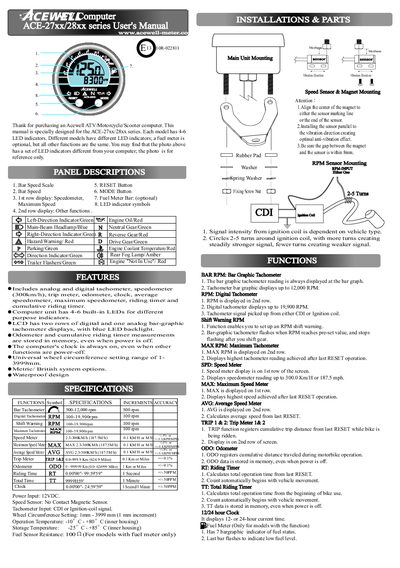
This manual describes the features of the Acewell ACE-27xx/28xx series computer, including LED indicators, analog/digital tachometer, speedometer, fuel meter (optional), odometer, trip meters, riding timers, and waterproof design. It explains panel descriptions, function symbols, and the purpose of each display row.
The guide details installation steps, sensor mounting, and all configuration procedures such as setting wheel circumference, units (km/h or mph), clock format, shift‑RPM warning, and resetting various counters. It also provides a wheel‑circumference table for common tire sizes and troubleshooting notes.
| Power Input | 12 VDC |
|---|---|
| Speed Sensor | No Contact Magnetic Sensor |
| Tachometer Input | CDI or Ignition‑coil signal |
| Wheel Circumference Setting Range | 1‑3999 mm (1 mm increment) |
| Operation Temperature | -10 °C to +80 °C |
| Storage Temperature | -25 °C to +85 °C |
| Fuel Sensor Resistance | 100 Ω (fuel‑meter models only) |
Press the MODE button to select the desired screen, then hold the RESET button for 2 seconds to reset TRIP 2, MAX, and MAX RPM individually; TRIP 1, AVG, and RT can be reset together with a single RESET press.