
The document introduces the characteristics of MAX481, MAX483, MAX485, MAX487–MAX491, and MAX1487, including working voltage, supply current, data transmission rate, etc.
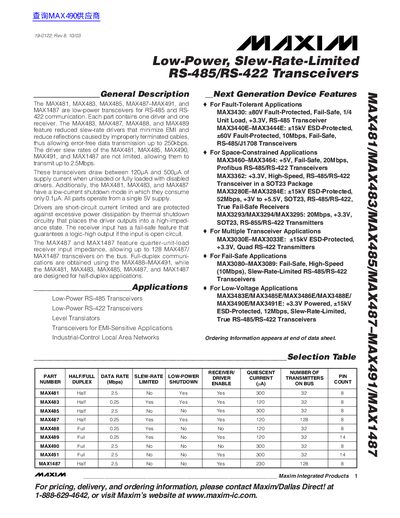
The Maxim MAX481‑MAX491 and MAX1487 families are low‑power, slew‑rate‑limited RS‑485/RS‑422 transceivers. Each device integrates a driver and a receiver, supporting half‑duplex (MAX481, MAX483, MAX485, MAX487, MAX1487) or full‑duplex (MAX488‑MAX491) operation. Features include low‑current shutdown, fault‑tolerant driver designs and optional 1/4‑unit‑load receiver inputs for high‑density bus applications.
The document provides absolute maximum ratings, DC electrical characteristics, switching timing, pin descriptions, and package dimensions for DIP, SO and QFN variants. Typical operating curves illustrate output voltage, current consumption and temperature effects, while the selection table lists data‑rate, slew‑rate and power‑shutdown options for each part number.
| Maximum Data Rate | 2.5 Mbps |
|---|---|
| Supply Voltage (VCC) | 5 V (typical) |
| Shutdown Supply Current (ISHDN) | 0.1 µA – 10 µA |
The MAX481 can transmit at up to 2.5 Mbps.
Yes, driver outputs are current‑limited and protected by thermal shutdown circuitry.