
This is a user manual for a mobile phone, which mainly introduces the assembly, power on, charging, function introduction, calling, text messaging, MMS, photography, browser and other functions
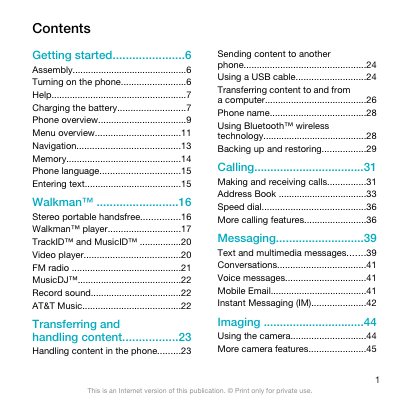
This guide covers the basic steps to get started with the Sony Ericsson W518a Walkman phone, including inserting the SIM card, charging the battery, and turning the device on. It also describes how to navigate menus, configure language and network settings, and use the setup wizard.
Later sections detail how to make and receive calls, manage contacts, send text and multimedia messages, use the camera, play music and video, connect via Bluetooth, and synchronize data with a computer. Safety information, troubleshooting tips, and legal notices are also included.
Remove the battery cover, then slide the SIM card into its holder with the gold-colored contacts facing down.
Press and hold down the GS key to power on the device.
It takes approximately 2.5 hours to fully charge the battery.