
This document is a user manual for a mobile phone, which introduces the assembly, turning on the phone, charging the battery, menu operation, camera usage, music playback, content transfer, and GPS usage of the phone.
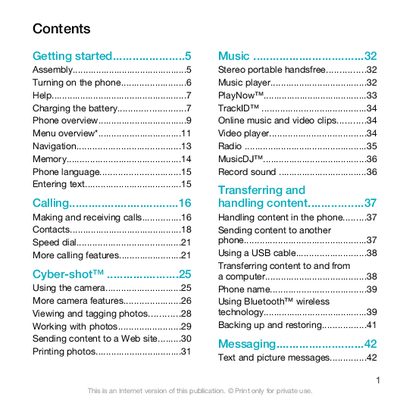
This guide covers everything you need to get started with the Sony Ericsson C903, from inserting the SIM card and battery to turning the device on and completing the initial setup. It explains how to make and receive calls, manage contacts, use speed dial, and send text or picture messages.
The manual also details multimedia functions such as the camera, photo tagging, music playback, video clips, and online services like YouTube and Google Maps. Additional sections describe Bluetooth pairing, USB connectivity, battery charging, backup and restore, and synchronising the phone with a computer or internet service.
| Battery charging time | Approximately 2.5 hours |
|---|
Press and hold the power key, then follow the on‑screen prompts to select language and set up the device.
Unlock the battery cover, remove it, and slide the SIM card into its holder with the gold‑coloured contacts facing down.
Approximately 2.5 hours are required to fully charge the battery.