
GA-78LMT-S2 motherboard user manual, introduces the features and characteristics of the motherboard, installation steps, driver installation and other content.
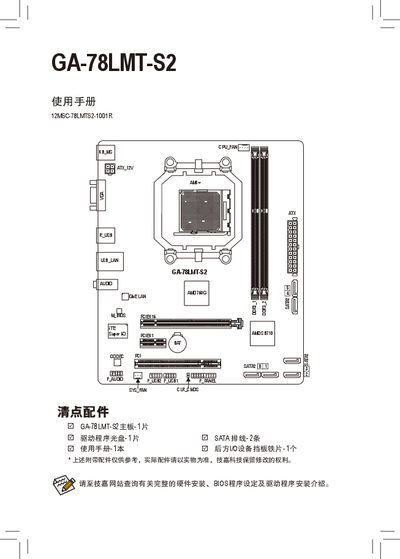
This manual covers the Gigabyte GA-78LMT-S2 motherboard, detailing rear connector layouts, CPU and memory installation procedures, and driver setup using the included Xpress Install utility. It also includes regulatory statements, RoHS/WEEE compliance, and a warranty card with service contact information.
Additional sections describe the supported CPU and memory specifications, safety precautions, and how to obtain full hardware installation guides and BIOS settings from Gigabyte's website. This manual is written in Chinese.
| Model Number | GA-78LMTS2 |
|---|---|
| PCI Express Slot | PCIEXH6 2 |
Insert the driver CD and run "Xpress Install"; you can choose "Complete Installation" to install all drivers or select individual drivers for manual installation.
The warranty card and service contact details are included in the manual; you can also visit Gigabyte’s support website or call the 800‑820‑0926 hotline for assistance.