
This user manual is XXX's non-computer user manual, which details how to use the product, including how to load paper, copy, place an original, and check if the ink cartridge is low or empty.
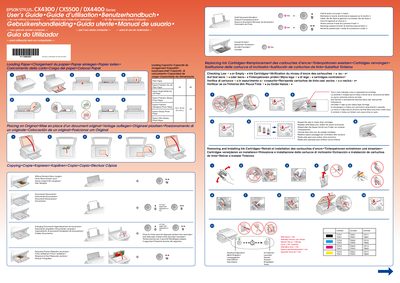
This manual covers the basic operation of the Epson Stylus CX4300, CX5500, and DX4400 ink‑jet printers. It explains how to load paper, replace ink cartridges, and interpret the indicator lights.
Key sections include cartridge handling, nozzle checks, troubleshooting common errors such as flashing lights or paper‑ejection problems, and guidance for waking the printer from sleep mode. The document is multilingual, offering step‑by‑step procedures with visual symbols for easy reference.
Follow the procedure under the "Removing and Installing Ink Cartridges" section to remove the old cartridge and install a new one.
A flashing light with the 4 mark indicates a low or empty ink cartridge.
Press any button except the ⑨ button to wake the product.