
This is an IP camera user manual, which introduces the hardware composition, installation, network configuration, function settings of IP camera
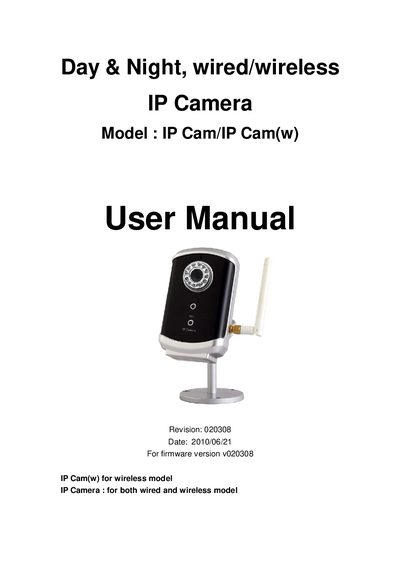
The IP Cam/IP Cam(w) is a day‑and‑night IP camera that can be used wired or wirelessly. It offers 640×480 resolution at 30 fps, MPEG‑4 video compression, and built‑in microphone and IR LEDs for night vision. The camera is designed for plug‑and‑play installation with a web interface and the CamView software.
The manual provides step‑by‑step hardware setup, network configuration (including Wi‑Fi security), video and audio settings, motion detection, scheduling, and advanced features such as 3GPP/ISMA streaming and third‑party web integration. It also includes troubleshooting, firmware upgrade, and reset procedures.
| Power Requirement | 5 V / 1.0 A |
|---|---|
| Video Resolution | 640 × 480 |
| Frame Rate | 30 fps |
| IR LEDs | 11 LEDs, ~10 m night vision |
| Microphone Effective Distance | ≈ 5 m |
| Lens Focus Range | 30 cm to infinity |
| Wireless Standard | IEEE 802.11 b/g (WEP/WPA) |
| Video Codec | MPEG‑4 |
| Audio Codecs | AMR‑NB, MPEG‑2 |
| Streaming Protocol | RTSP (TCP/UDP) |
It requires a 5 V, 1.0 A power adapter.
The camera has 11 IR LEDs that provide about 10 m of night‑vision distance.
Press and hold the reset button with a small stick for more than 3 seconds.